
New Mi-Pod Ordering Portal: How to Guide
Posted by Robert Taney on Jan 7th 2025
Welcome to the Mi-Pod Wholesale Ordering Portal. This guide provides everything you need to start using new wholesale ordering portal.
Logging In to Mi-Pod Wholesale Ordering Portal
Go to the Login Page
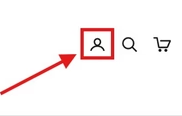
- On mipodwholesale.com, click the person icon in the top-right corner.
- Visit this link: https://mipodwholesale.com/account/login
Choose the New Login Method
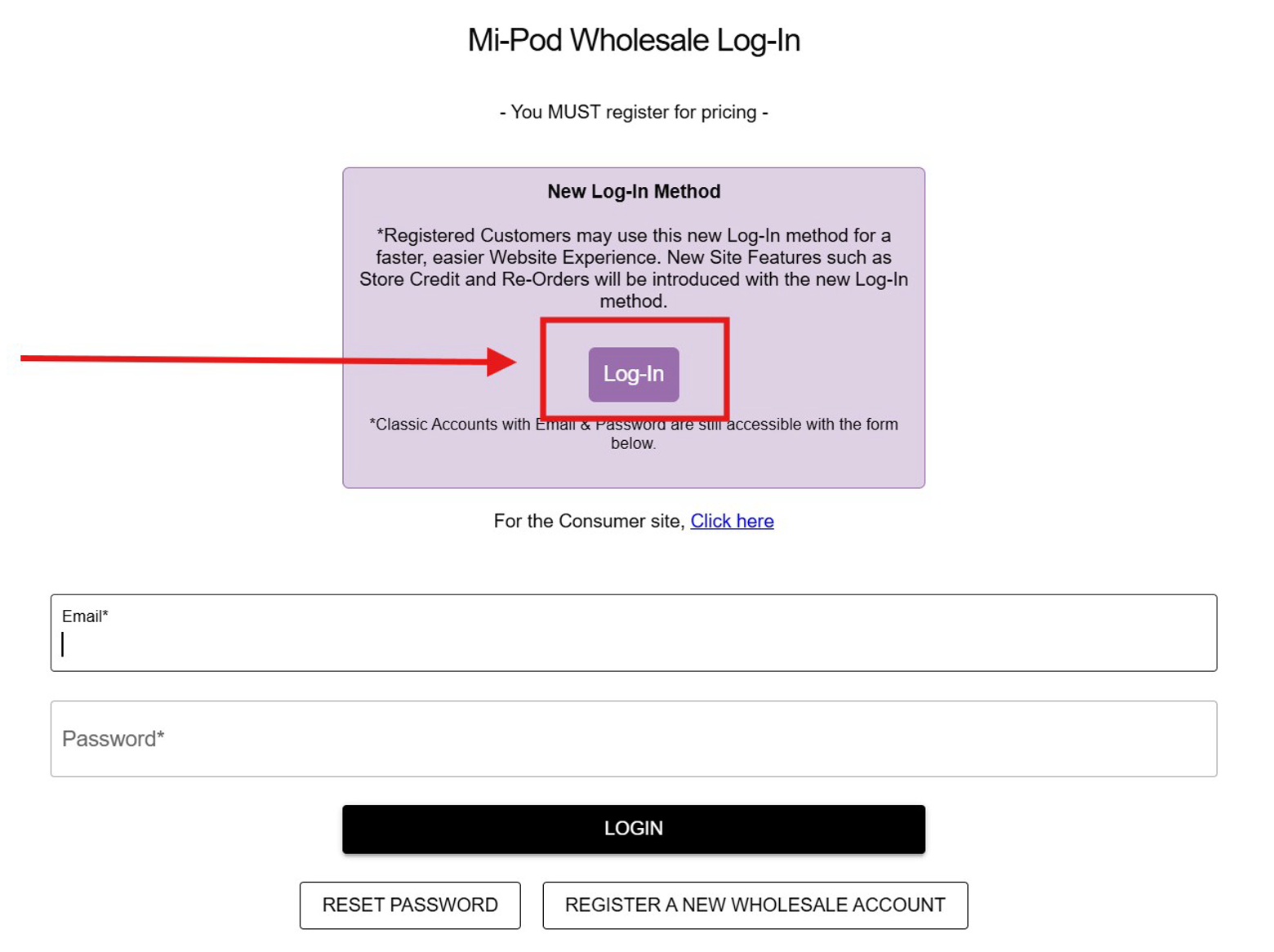
- Click the purple Log In button (See Image Below)
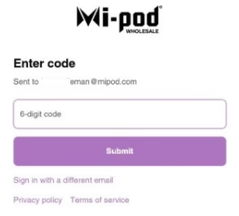
- This method requires only your email—no password.
-
You may also change your password anytime if you prefer the traditional login method (found below the “New Log-In” option).
Enter Your Email
- Use the email you provided to our sales support team.
- A verification code will be sent to that inbox.
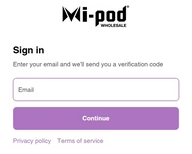
- Enter the code to complete login. You’ll then land on the Mi-Pod Wholesale homepage.
- Important: Only the email tied to your customer account will have access to the ordering portal.
If you experience any issues, please reach out to your sales rep or call our sales support line: 800-775-8972.
Accessing the Ordering Portal
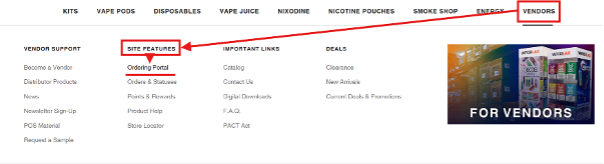
From the Homepage, navigate to:
- Vendors Tab → Site Features → Ordering Portal
- Or visit this link: https://mipodwholesale.com/pages/bulk-ordering-portal
- Note: You must be logged in to an account we set up at Mi-pod Wholesale to see the ordering portal!
Selecting Items in Mi-Pod Wholesale Ordering Portal
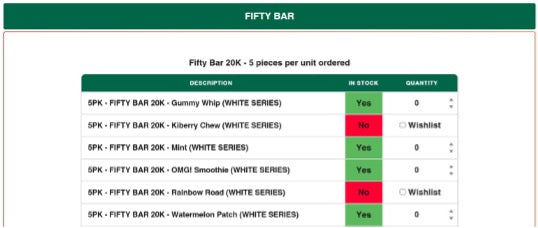
On the ordering portal page, you’ll find dropdown menus with product tables.

Each Product Table Includes:
- Quantity selectors → choose how many items you’d like.
- Wishlist checkboxes → mark items to be notified when they’re back in stock.
- You can combine items from multiple tables into the same order.
- When you're done, scroll to the bottom to complete the submission form.
Submitting Your Order
- At the bottom of the page, fill out the submission form with your contact details and shipping information.
- Important: We can only ship to states where you have submitted the proper licenses with Mi-Pod Wholesale.
What Happens After You Submit Your Order?
You’ll receive an email confirmation with your order number.
Within 1–2 business days, a team member will reach out to confirm your order.
Additional Information
- All portal submissions are treated as quotes.
- Final order contents and pricing may change after review.
- Our team validates shipping info and applies required taxes before finalizing the order.
Need Help?
If you encounter any issues or would like to provide feedback, please contact your sales representative or sales support at 800-775-8972.
Thank you for using the Mi-Pod Wholesale Ordering Portal!